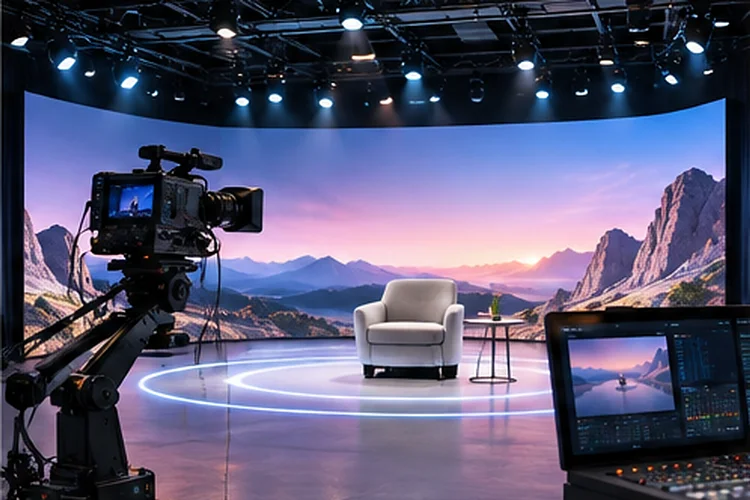
Producing a live digital entertainment event is a little like conducting an orchestra. Cameras, graphics, audio systems, streaming platforms, and production crews must work together at exactly the right moment.
One delayed video feed or unstable connection can disrupt an otherwise impressive performance. Advanced Virtual Production Workflows help teams organize these moving parts into a dependable production system.
By combining IP-based video transport, flexible broadcast tools, cloud streaming, and real-time monitoring, organizers can deliver ambitious digital shows without relying on last-minute fixes. The result is a smoother experience for production teams and audiences alike.
Why Live Entertainment Needs Structured Production Workflows
Live entertainment leaves very little room for technical mistakes.
Unlike prerecorded content, a digital concert or esports tournament cannot easily stop while technicians investigate a problem.
Every production element needs a defined role and clear operating procedures.
A structured workflow establishes how video sources enter the system, how graphics are added, and how the finished program reaches viewers.
For example, a virtual award ceremony might combine remote presenters, prerecorded nominations, animated backgrounds, and live audience reactions.
Without coordination, switching between these elements becomes unnecessarily complicated.
Production teams should create a detailed run-of-show document that identifies technical cues, responsible operators, and backup actions.
This preparation improves communication and reduces uncertainty during critical moments.
Building Flexible Video Infrastructure With IP Technology
Traditional broadcast environments often depend on dedicated video connections between equipment.
Modern IP production systems provide additional flexibility by moving video and audio through compatible networking infrastructure.
Understanding NDI-Based Production
NDI allows supported devices and software applications to exchange video and audio over IP networks.
This can simplify connections between cameras, graphics computers, production switchers, and monitoring stations.
However, network capacity requires careful planning.
NDI documentation indicates that a typical high-bandwidth 1080p60 stream can reach approximately 150 Mbps.
A hypothetical workflow using four such feeds could require up to 600 Mbps of video traffic before accounting for other network activity.
That makes network design particularly important.
Dedicated production networks, appropriately configured switches, and sufficient bandwith help reduce unexpected interruptions.
Teams should test their specific formats and equipment instead of assuming every NDI connection has identical requirements.
Coordinating Remote Production Teams and Video Feeds
Digital entertainment events increasingly involve contributors working from different locations.
A live music show might feature performers in several studios while a centralized production team manages the final broadcast.
Connecting these locations requires more than ordinary video conferencing.
Using Reliable Internet Video Transport
Secure Reliable Transport, commonly called SRT, is designed to help deliver video across networks that may experience packet loss and variable delays.
AWS Elemental MediaLive supports SRT inputs, making it possible to connect compatible upstream production systems with cloud-based processing.
For example, a remote presenter could send a video feed to a central production environment using an appropriately configured SRT connection.
Engineers can then combine that feed with additional cameras, graphics, and prerecorded segments.
However, latency must be considered when presenters interact with one another.
A connection optimized for picture quality may introduce additional delay.
Production teams should balance transmission reliability against the responsiveness required for each segment.
Clear audio communication between operators is equally important for coordinating remote participants.
Managing Live Switching and Digital Graphics
A professional entertainment broadcast involves constant transitions between different sources.
The production team may switch from a performer to an audience reaction, introduce an animated graphic, or play a prerecorded video.
These changes need to happen smoothly.
Creating Organized Production Scenes
One practical technique is preparing complete production scenes before the broadcast begins.
Each scene can contain a specific arrangement of cameras, graphics, audio sources, and visual overlays.
For example, an esports tournament could prepare separate scenes for gameplay, commentator discussions, player interviews, and sponsor messages.
Operators can preview these arrangements before switching them into the live program.
A dedicated graphics operator can also update scores, titles, and other information without interrupting the main video feed.
However, unnecessary complexity can increase the risk of mistakes.
Simple naming conventions, consistent transitions, and clear approval responsibilities make production systems easier to operate.
A full reherasal should include every important scene change.
Optimizing Streaming Delivery for Large Audiences
Producing an attractive video feed is only half the challenge.
The finished program must also reach viewers using different devices, internet providers, and connection speeds.
Using Adaptive Bitrate Streaming
Adaptive bitrate streaming allows compatible video players to adjust playback quality according to available network capacity.
Cloudflare Stream supports live input through RTMPS or SRT and delivers encoded video through its global network.
It also provides multiple quality levels for adaptive playback.
For example, a viewer using a stable broadband connection might watch a high-quality version of a digital concert.
Another person using mobile data could receive a lower-resolution stream with fewer buffering problems.
Both participants still access the same live performance.
Production teams should select appropriate encoding settings and test playback on different devices.
A reliable transmision workflow also requires sufficient upload capacity and careful configuration of automatic reconnection behavior.
Preparing Backup Systems for Unexpected Failures
Even carefully designed broadcast systems can experience technical problems.
A failed encoder, interrupted network connection, or unavailable video source might affect the live program.
Backup infrastructure reduces the impact of these failures.
Designing Redundant Broadcast Paths
AWS Elemental MediaLive provides automatic input failover options for supported input types.
With an appropriate configuration, the service can switch to an alternative source when certain failures occur.
This approach protects against selected upstream problems.
However, backup inputs and redundant processing pipelines address different failure scenarios.
For example, a secondary encoder may protect against the loss of the primary source, while pipeline redundancy helps address processing failures.
Production teams should understand these differences before designing their recovery strategy.
Backup scenes, standby graphics, and alternative audio sources can also provide useful protection.
An effective contingency plan identifies what operators should do when individual components become unavailable.
Testing these procedures before the event makes recovery less stressful.
Monitoring Production Quality Throughout the Event
Live technical supervision should continue from the first rehearsal through the final broadcast.
A system that appears stable at the production desk may still deliver an inconsistent experience to viewers.
Monitoring provides visibility into problems that operators cannot always detect manually.
Tracking Streaming and Infrastructure Performance
Amazon CloudWatch can collect metrics from AWS Elemental MediaLive and support alarms based on configured thresholds.
These measurements help technical teams understand the performance of their streaming infrastructure.
Useful indicators include input signal quality, output errors, processing interruptions, and connection stability.
For example, rising error rates might reveal a developing network issue before the audience experiences a complete interruption.
Teams should also monitor viewer-side playback performance through their delivery platform when suitable metrics are available.
However, technical monitoring should not replace human supervision.
A dedicated operator still needs to check visual quality, audio consistency, and transitions during the show.
Afterward, production teams can review recorded incidents and performance measurements to identify opportunities for improvement.
Regular monitering reviews help make future productions more predictable.
Advanced Virtual Production Workflows provide the structure needed to deliver reliable digital entertainment across complex production environments.
By combining IP video infrastructure, remote collaboration, organized switching, adaptive streaming, backup systems, and continuous monitoring, teams can reduce technical uncertainty while maintaining creative flexibility.
Before your next live digital event, review the complete broadcast chain, test potential failure scenarios, and establish clear responsibilities. A dependable workflow makes ambitious productions easier to manage.