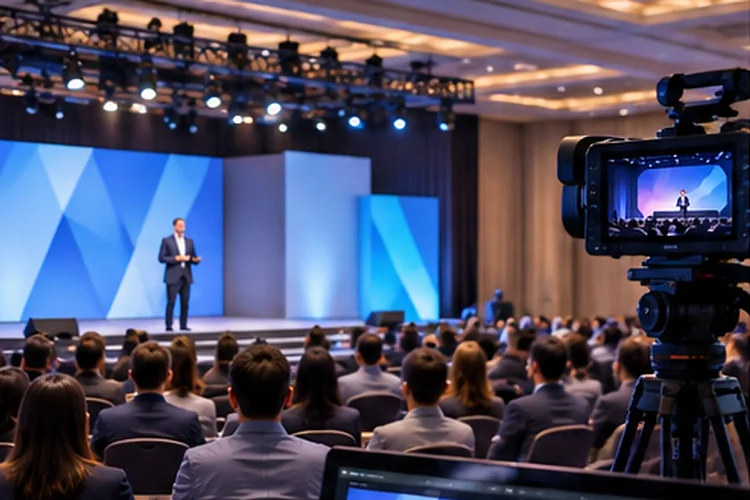
A hybrid event can look flawless inside a ballroom and still feel frustrating online. The camera misses a speaker, the audio sounds distant, and a question arrives several seconds after the presenter has moved on.
These gaps usually have one thing in common: the physical production and digital platform were designed separately. Advanced Hybrid Event Design brings venue operations, streaming infrastructure, and audience tools into one coordinated plan.
When these pieces work together, organizers can support thousands of viewers, protect live sessions from avoidable failures, and keep both audiences connected from the opening keynote to the final Q&A.
Connecting Physical Event Production With Digital Infrastructure
A successful hybrid event depends on more than placing a camera inside a conference hall.
The production team must capture presentations, process audio, manage camera feeds, and deliver content to the online audience.
Every stage of this process affects the final viewing experience.
Understanding the Hybrid Production Workflow
A typical workflow begins with microphones and cameras connected to an audio-video production system.
The production system combines these inputs before sending the final program to an encoder.
That encoder converts video and audio into a format suitable for internet transmission.
A streaming service then distributes the content to remote viewers through supported playback technologies.
For example, Cloudflare Stream can receive live video through RTMPS or SRT, encode multiple resolutions, and deliver streams through its global infrastructure.
This allows organizers to focus more attention on content and participant experience.
However, every component still needs proper configuration and testing before the event.
Choosing Streaming Technology Based on Audience Needs
Not every hybrid event requires the same streaming performance.
A large keynote broadcast may prioritize stable video quality, while an interactive workshop needs faster communication between speakers and attendees.
Understanding these differences helps organizers avoid unnecessary technical complexity.
Balancing Low Latency and Broadcast Scalability
Streaming latency describes the delay between capturing an event and displaying it on a remote viewer’s device.
Amazon IVS documentation describes low-latency streaming with delays under five seconds and real-time stages with latency under 300 milliseconds.
These are service capabilities rather than guaranteed results for every viewing environment.
For a keynote watched by thousands, a scalable low-latency broadcast may be sufficient.
For a smaller interactive panel, real-time communication technology can create more natural conversations.
Organizers should consider whether participants need to speak directly or simply watch and submit questions.
Choosing technology based on actual interaction requirements can simplify the production workflow.
Designing Audio and Camera Systems for Both Audiences
Good audio often matters more than visual effects during a professional conference.
Remote participants may tolerate an occasional imperfect camera angle, but unclear speech quickly makes presentations difficult to follow.
Venue acoustics, microphone placement, and sound mixing deserve serious attention.
Building an Audience-Friendly Audio Setup
Speakers should use appropriate microphones that capture clear speech without excessive room noise.
When audience members ask questions, their voices need to reach the digital broadcast as clearly as the main presenter.
A dedicated broadcast audio mix can help achieve this.
Camera placement is equally important.
Microsoft’s hybrid meeting room guidance discusses practical considerations such as lighting, acoustic treatments, display positioning, and camera visibility.
These principles can also inform larger hybrid production environments.
For example, a wide camera angle helps online viewers understand the venue atmosphere, while closer shots make speakers easier to follow.
Testing these perspectives from the remote viewer’s position reveals problems that may not be obvious inside the room.
Building Reliable Connectivity and Backup Systems
Internet connectivity is one of the most critical elements of hybrid event operations.
Even a professionally produced presentation becomes useless to remote attendees if the broadcast connection fails.
A reliable setup requires sufficient upload capacity, network monitoring, and backup connectivity.
Planning for Network Failure
Suppose an event streams a video feed at approximately 5 Mbps.
The venue needs enough sustained upload capacity for that stream, along with additional headroom for network fluctuations and other essential services.
Using two independent connections can provide an alternative transmission path if the primary network becomes unavailable.
However, simply purchasing extra bandwith doesn’t guarantee reliability.
Organizers must test how quickly the system switches connections and whether streaming software can reconnect successfully.
Backup encoders, redundant audio paths, and clearly assigned technical responsibilities also improve operational resiliance.
A full technical rehearsal should include simulated failures rather than assuming every component will work perfectly.
Scaling Digital Services for Growing Attendance
Large hybrid conferences can attract thousands of digital viewers in addition to their physical audience.
While video distribution is often handled by specialized streaming infrastructure, the event application has other responsibilities.
Registration, authentication, chat, scheduling, and analytics all generate server activity.
For example, a major keynote might cause 10,000 attendees to enter the platform within a few minutes.
Without sufficient capacity, login requests and session pages could become slow.
Cloud load balancing helps distribute application traffic across available computing resources.
Google Cloud documents global and regional load balancing options that can support applications deployed across multiple locations.
However, adding servers won’t automatically solve overloaded databases or external service limits.
Organizers should test the entire digital journey, including registration, session entry, polling, and resource downloads.
Monitoring Performance During Live Hybrid Events
Technical monitoring should continue throughout the event rather than ending after the initial equipment checks.
Production teams need to understand what happens both inside the venue and on remote devices.
A stream might appear stable at the control desk while viewers experience buffering elsewhere.
Tracking Technical and Audience Metrics
Useful measurements include video startup time, buffering frequency, connection failures, and application response times.
OpenTelemetry provides a framework for collecting application traces, metrics, and logs.
These signals can help engineering teams investigate issues across distributed digital services.
For example, if virtual attendees in one reigonal market report delayed session loading, monitoring data may reveal an overloaded application endpoint.
Technical teams can then investigate the affected service instead of interrupting the entire broadcast.
A separate communication channel between event producers, moderators, and engineers makes incident handling more efficient.
The goal is to identify problems early and minimize their effect on attendees.
Extending Hybrid Event Value Beyond the Live Broadcast
Hybrid experiences shouldn’t end when the final speaker leaves the stage.
Recorded presentations, downloadable resources, and follow-up discussions can continue delivering value long after the event finishes.
Organizers can publish selected sessions as on-demand content, allowing participants in different time zones to watch at convenient times.
They can also create searchable transcripts and organized resource libraries.
Event analtyics provide another opportunity for improvement.
For example, comparing live attendance, replay views, and audience feedback can reveal which topics maintain interest over time.
However, these numbers should be interpreted alongside participant goals and satisfaction.
A short technical workshop may deliver greater value to a small group than a popular keynote watched passively.
Combining engagement data with direct feedback helps organizers make smarter decisions about future hybrid programs.
Advanced Hybrid Event Design combines strong venue production, dependable streaming, scalable digital infrastructure, and continuous monitoring to connect audiences across physical and virtual environments.
The best results come from planning both experiences together rather than treating remote participation as an afterthought.
Before hosting your next hybrid conference, test the complete production workflow, prepare backup systems, and use audience feedback to improve every stage of the experience.